

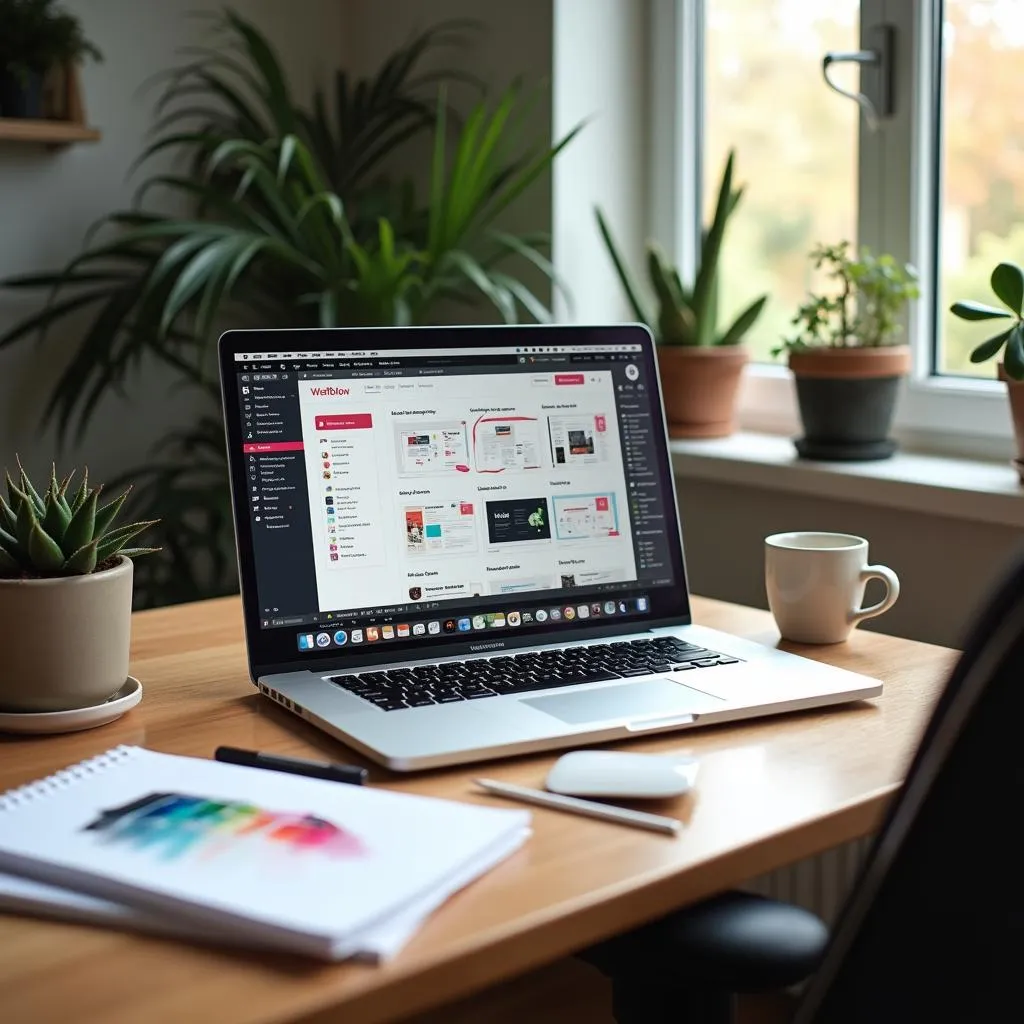
Imagine creating stunning websites without writing a single line of code—sounds like a dream, right? That’s the promise of Webflow, a platform that’s revolutionizing how freelancers approach web design. With its intuitive drag-and-drop interface, built-in CMS, and responsive design capabilities, Webflow is not just a tool but a powerhouse for freelancers eager to deliver high-quality websites efficiently. Dive into our deep-dive guide to see how this could be the ultimate solution for your freelance business.
Table of Contents
- Introduction to Webflow for Freelancers
- Why Webflow Appeals to Freelancers
- Key Features of Webflow for Freelancers
- Benefits and Challenges of Webflow for Freelancers
- Webflow vs. Traditional Web Development
- Data Collection and Analysis with Webflow
- Learning and Support Resources for Webflow
- Future Trends and Implications for Freelancers Using Webflow
- Conclusion
Introduction to Webflow for Freelancers
Hey there! If you’re a freelancer looking to dive into the web design world without getting tangled up in code, Webflow might just be your new best friend. It’s a powerful no-code platform that’s making waves among freelancers for its user-friendly interface and robust features. Unlike traditional web development tools that require a deep dive into coding languages, Webflow offers a more accessible way to create stunning, professional websites. The Ultimate Guide To Website Design With Webflow can offer deeper insights into how you can achieve this. Let’s explore why Webflow is such a hit with freelancers.
Why Webflow Appeals to Freelancers
Ease of Use
Webflow is celebrated for its intuitive drag-and-drop interface, which makes website creation as simple as pie. You don’t need to be a coding wizard to get started. This is a game-changer for freelancers who want to expand their services without investing a ton of time into learning complex coding languages. The platform is designed so that anyone, even those with limited technical experience, can create professional-grade websites. This ease of use is precisely why Webflow is becoming a go-to choice for many freelancers. If you’re curious about how this works, you might find Webflow Website Builder: What You Need To Know quite enlightening.
Design Flexibility
One of Webflow’s standout features is its design flexibility. With a vast array of design tools and templates, you’re not limited to cookie-cutter designs. You can customize your website to your heart’s content, tailoring it specifically to fit your client’s needs. Whether you’re working on a portfolio, a business website, or something more unique, Webflow provides the tools you need to let your creativity shine. For a more in-depth look at how designers are leveraging this flexibility, check out Mastering Webflow Design: Elevate Your Online Presence.
Responsive Design
In today’s mobile-centric world, ensuring your websites look great on all devices is essential. Webflow automatically generates responsive designs, so you don’t have to worry about creating separate versions for phones, tablets, and desktops. This functionality is a lifesaver for freelancers aiming to deliver high-quality, mobile-friendly websites that meet modern standards.
Key Features of Webflow for Freelancers
CMS Capabilities
Webflow’s Content Management System (CMS) is a boon for freelancers handling dynamic, content-driven websites. It allows you to create and manage complex content structures without breaking a sweat. Plus, your clients can easily update their content without needing to call you every time they want to change a headline. This feature alone can save you a lot of time and keep your clients happy. If you want to dive deeper into how the CMS works, Webflow CMS: Why It’s The Future Of Web Design is a great resource.
Hosting and Security
When it comes to hosting, Webflow has you covered with reliable services and top-notch security features like SSL certificates. You can offer your clients a complete package, from design to hosting, without worrying about security breaches or downtime. This reliability is a strong selling point, giving clients peace of mind knowing their website is in good hands.
E-commerce Functionality
For freelancers working with retail clients, Webflow’s e-commerce features are a solid asset. You can set up product listings, shopping carts, and handle payment processing all within the platform. This makes it easier than ever to create fully functional online stores that look great and work seamlessly.
By leveraging these features, freelancers can offer comprehensive web solutions that are both beautiful and functional. Whether you’re just starting out or looking to expand your freelance business, Webflow provides the tools you need to succeed in web design.
Why Webflow Appeals to Freelancers
Choosing the right tools can make or break a freelancer’s workflow, and Webflow is quickly becoming a favorite for those in web design. Here’s a look at why Webflow is capturing the hearts of freelancers everywhere.
Ease of Use
Webflow’s user-friendly nature is a key factor in its growing popularity among freelancers. The platform offers an intuitive drag-and-drop interface that simplifies the website creation process, allowing you to focus on design rather than code. This is especially beneficial if you lack a technical background but still want to offer professional web design services.
- No Coding Required: Build beautiful websites without needing extensive coding knowledge. For those who want to dive deeper into creating stunning designs without coding, Mastering Webflow Design can offer valuable insights.
- Intuitive Interface: The drag-and-drop system makes designing straightforward and accessible.
- Speedy Setup: Quickly get started on projects, allowing more time for creativity and client interaction.
For those who are not tech-savvy but still wish to break into web design, Webflow bridges the gap, making it a perfect fit for freelance designers.
Design Flexibility
Webflow shines in its design capabilities, giving freelancers the flexibility to create bespoke websites tailored to client needs. With an extensive range of design tools and templates, you can craft unique web experiences that stand out from the crowd.
- Customizable Designs: Tailor every aspect of a website to match your vision or your client’s brand. If you’re looking for customizable store designs that truly pop, Stand Out With Custom Webflow Store Design might just be what you need.
- Wide Range of Templates: Use existing templates as a starting point, then customize them to perfection.
- Advanced Design Tools: Access to cutting-edge design tools that allow for intricate and detailed work.
This flexibility means you can push creative boundaries and deliver high-quality, personalized sites that impress your clients.
Responsive Design
With more users accessing websites on a variety of devices, having a site that looks good everywhere is non-negotiable. Webflow automatically generates responsive designs, ensuring your creations are ready for any screen size.
- Automatic Responsiveness: Designs adjust seamlessly to fit desktops, tablets, and mobile devices. You can explore more about how to enhance responsiveness and user experience with Webflow UX Design.
- Mobile-First Approach: Optimize sites for mobile viewing without additional effort.
- Enhanced User Experience: Deliver consistent and engaging experiences across all devices.
This feature is invaluable for freelancers, as it enhances site functionality and user satisfaction without additional coding work.
Webflow is more than just a tool; it’s a platform that enables freelancers to expand their service offerings and grow their businesses with confidence. By leveraging Webflow’s ease of use, design flexibility, and responsive capabilities, freelancers can create exceptional websites that meet modern standards and client expectations.
Key Features of Webflow for Freelancers
When you’re diving into the world of web design as a freelancer, having a reliable and versatile tool like Webflow can make all the difference. This section will explore some of the standout features that make Webflow an excellent choice for freelancers, helping you manage dynamic content, ensure robust hosting and security, and even set up e-commerce sites with ease.
CMS Capabilities
Webflow’s Content Management System (CMS) is a game-changer for freelancers who need to manage dynamic, content-driven websites. This feature allows you to craft and handle complex content structures effortlessly. The beauty of Webflow’s CMS lies in its ability to empower clients to update their content independently, which means less back-and-forth for you as a freelancer.
- Dynamic Content: Create and manage rich content structures without needing to touch code.
- Client Autonomy: Clients can easily make updates, which reduces your workload and empowers them to keep their sites fresh.
- Seamless Integration: The CMS integrates smoothly with Webflow’s design tools, providing a cohesive experience from design to content management.
For more insights into how Webflow’s CMS can boost your freelance work, check out the detailed guide Webflow CMS: Why It’s The Future Of Web Design.
Hosting and Security
One of the standout features of Webflow is its all-inclusive hosting and security solutions. As a freelancer, offering a complete package to your clients is a major plus, and Webflow makes this easy.
- Reliable Hosting: Forget about the hassles of managing separate hosting accounts. Webflow offers robust, scalable hosting solutions that keep your websites running smoothly.
- Security Measures: With features like SSL certificates and automatic backups, you can assure clients that their data is safe and their websites are secure.
- Integrated Solution: By bundling hosting and security, Webflow allows you to focus on design and content, rather than technical backend issues.
This comprehensive approach not only simplifies your workflow but also enhances the service you provide to your clients, making you a more attractive choice for potential projects.
E-commerce Functionality
For freelancers working with retail clients, Webflow’s e-commerce capabilities are invaluable. This feature allows you to build, design, and launch online stores that are not just visually appealing but also functional.
- Product Listings: Easily create and manage detailed product listings that captivate shoppers.
- Shopping Cart and Checkout: Integrate seamless shopping cart and checkout processes, enhancing the user experience.
- Payment Processing: Handle payment processing securely within the platform, reducing the need for third-party services.
Webflow’s e-commerce tools are designed to be intuitive, which means you spend less time troubleshooting and more time crafting beautiful, high-converting online stores. This makes Webflow a strong contender in the e-commerce design space. For those looking to really stand out, diving into a custom Webflow store design can give your projects that extra edge.
By harnessing these key features, Webflow empowers freelancers to deliver comprehensive, high-quality web solutions that meet the diverse needs of their clients. Whether you’re just starting out or looking to enhance your freelance offerings, Webflow provides the tools and flexibility you need to succeed in the competitive field of web design.
Benefits and Challenges of Webflow for Freelancers
If you’re a freelancer diving into the world of web design, Webflow offers a plethora of features that can boost your workflow. However, like any tool, it comes with its own set of benefits and challenges. Let’s break it down.
Benefits
Time Efficiency
Time is money, especially for freelancers juggling multiple projects. Webflow’s pre-built templates and components are a lifesaver. They allow you to kickstart projects without the need to build everything from scratch. This means you can focus more on customization and client communication, ensuring that each project is unique and tailored to your client’s needs.
- Pre-built Templates: Jumpstart your design process with a wide variety of templates.
- Components: Use reusable components to speed up development.
- Focus on Customization: Spend more time on creativity rather than basic setup. For more on how Webflow can enhance your productivity, you might want to explore Webflow CMS: Why It’s The Future Of Web Design.
Client Management
Managing clients can be as challenging as the design work itself. Webflow comes equipped with tools to help streamline client interactions. Its client billing feature is particularly helpful, automating invoices and simplifying financial management.
- Billing Tools: Automate your invoicing process, saving you time and hassle.
- Project Management: Keep projects organized and on track with integrated tools. For tips on managing your workflow, check out Managing Webflow Websites: The Essential Guide You Didn’t Know You Needed.
- Streamlined Workflow: Manage multiple projects efficiently without losing track.
Scalability
As your freelance business grows, so do your needs. Webflow offers scalable plans that can accommodate your expanding client base and the complexity of your projects. This means you can start small and scale up without having to switch platforms.
- Flexible Plans: Grow your business with Webflow’s adaptable pricing plans.
- Accommodate More Complex Projects: Handle larger, more demanding projects as your expertise and client list expand.
- Easily Upgrade: Transition smoothly to more advanced plans as your business requires. To see how Webflow can help scale your business, take a look at Scale Your Business | Webflow Plus Solutions.
Challenges
Learning Curve
While Webflow is designed to be user-friendly, there’s still a learning curve, especially for those who are new to web design. Investing time to learn the ins and outs of the platform is crucial to fully leverage its capabilities.
- Initial Time Investment: Be prepared to spend time mastering the platform.
- Resources Available: Use resources like Webflow University to speed up your learning process.
- Practice Makes Perfect: Regular use will help you overcome the initial hurdles. For guidance on mastering the platform, What Every Webflow Web Designer Needs To Know offers some great insights.
Cost Considerations
While Webflow offers a free plan, many of the advanced features that freelancers might need are locked behind paid plans. This can increase operational costs, especially for those just starting out.
- Free vs. Paid Plans: Consider the features you need and whether the cost of upgrading is justified.
- Budgeting for Growth: Plan for future expenses as your business and needs grow.
- Assessing Value: Weigh the benefits of advanced tools against their cost.
By balancing these benefits and challenges, freelancers can effectively use Webflow to enhance their service offerings and streamline their workflows. Whether you’re just starting out or looking to refine your processes, understanding these aspects of Webflow can help you make informed decisions about its role in your freelance career.
Webflow vs. Traditional Web Development
When you’re working as a freelancer, choosing the right tools for web development can significantly impact your workflow and client satisfaction. Webflow has emerged as a powerful contender against traditional web development methods, offering a range of benefits that cater to the unique needs of freelancers. Let’s delve into how Webflow stacks up against traditional coding practices.
Speed of Development
One of the standout advantages of using Webflow is the speed at which you can develop websites. Traditional web development often requires extensive coding and testing, which can be time-consuming. In contrast, Webflow provides a visual interface that allows for rapid prototyping and deployment.
- Visual Editor: Webflow’s drag-and-drop editor lets you design and build without writing a single line of code.
- Pre-built Components: Gain a head start with Webflow’s library of templates and components.
- Faster Iterations: Quickly make design changes and see the results in real-time, saving valuable hours.
By streamlining the development process, Webflow enables freelancers to meet tight deadlines and take on more projects without compromising quality.
Design Control
Design control is a critical aspect for freelancers who want to deliver unique and tailored websites. Webflow offers unparalleled flexibility compared to traditional methods, which often require complex coding for custom designs.
- Real-Time Adjustments: Make and preview changes instantly with Webflow’s live design features.
- Advanced Animations: Easily integrate animations and interactions without the need for JavaScript.
- Custom Styles: Apply custom styles effortlessly, ensuring that each project aligns perfectly with a client’s brand.
This level of control empowers freelancers to push creative boundaries and deliver websites that stand out.
Client Independence
One of the challenges with traditional web development is the ongoing reliance on developers for updates and maintenance. Webflow addresses this by empowering clients to manage their own content, reducing the need for continuous freelancer involvement.
- User-Friendly CMS: Clients can easily update content using Webflow’s intuitive CMS, minimizing support requests.
- Training Simplicity: Provide clients with straightforward instructions for content management, enhancing their independence.
- Reduced Maintenance: Spend less time on routine updates, freeing you to focus on new projects.
This autonomy not only benefits clients but also allows freelancers to focus on expanding their services and client base.
Comparison Table
Below is a comparison table showcasing the key differences between Webflow and traditional web development methods:
| Feature | Webflow | Traditional Web Development |
|---|---|---|
| Ease of Use | Visual editor, no coding required | Requires coding knowledge |
| Design Flexibility | High, with drag-and-drop functionality | High, but requires coding skills |
| SEO Tools | Built-in SEO tools | Requires additional plugins or tools |
| Responsive Design | Built-in, easy to implement | Requires manual coding |
| CMS Capabilities | Integrated CMS | Often requires separate setup |
| Time to Launch | Faster, due to visual editor | Slower, due to coding requirements |
By comparing these features, it’s clear that Webflow offers significant advantages for freelancers seeking efficiency, design flexibility, and client empowerment. Whether you’re just starting out or are an experienced freelancer looking to streamline your workflow, Webflow provides the tools you need to succeed in the competitive field of web development.
Data Collection and Analysis with Webflow
When it comes to using Webflow for freelancers, understanding how to effectively collect and analyze data can make a substantial difference in delivering successful projects. In this section, we’ll explore the methods, tools, and best practices for data collection and analysis using Webflow.
Data Collection Methods
Collecting data is a vital step for freelancers using Webflow, as it helps in understanding user behavior and enhancing site performance. Here are some key methods:
-
Forms: Webflow provides a built-in form element that is easy to customize for collecting user data like contact information, feedback, or survey responses. This feature is essential for freelancers who want to gather insights without needing complex coding (Webflow Forms).
-
Integrations: Tools like Zapier play a critical role in automating data collection processes. By connecting Webflow forms to applications like Google Sheets or CRM systems, freelancers can streamline data management and ensure efficient operation (Zapier).
-
Custom Code: For advanced data tracking, freelancers can embed custom JavaScript code to monitor user interactions or integrate third-party analytics tools, providing deeper insights into user behavior. For more on how custom code can enhance your design process, you might find Webflow UX Design quite enlightening.
Data Analysis Tools
Analyzing the collected data is just as important as collecting it. Here are some tools that freelancers can use alongside Webflow:
-
Webflow Analytics: Webflow comes with built-in analytics tools that offer basic insights into site performance. While this is a great starting point, freelancers might need more detailed data for in-depth analysis.
-
Google Analytics: Integrating Google Analytics with Webflow provides a more comprehensive view of user behavior, enabling freelancers to make data-driven decisions. This tool helps track visitor demographics, page views, and much more, offering a deeper understanding of how users interact with a site (Google Analytics). For those interested in ensuring their Webflow sites perform at their best, Webflow Store Audits offers valuable insights and tips.
Best Practices
To ensure effective data collection and analysis, freelancers should adhere to some best practices:
-
Privacy Compliance: It’s crucial to comply with privacy regulations like GDPR. This can be achieved by including consent checkboxes and linking to privacy policies in forms, ensuring user data is collected ethically.
-
Regular Audits: Conduct regular audits of data collection processes to maintain data quality and identify areas for improvement. This helps in keeping the data relevant and useful for decision-making.
By implementing these practices, freelancers can maximize the potential of Webflow’s data collection and analysis capabilities, ultimately enhancing their web design projects and boosting client satisfaction.
Key Takeaways
- Utilize Webflow’s built-in forms and integrations like Zapier for efficient data collection.
- Leverage Google Analytics for detailed insights and data-driven decision-making.
- Ensure compliance with privacy regulations and conduct regular data audits for quality assurance.
Learning and Support Resources for Webflow
Navigating the world of Webflow as a freelancer can be a rewarding journey, especially with the wealth of learning and support resources available to help you along the way. These resources are designed to enhance your skills, provide community support, and offer additional learning opportunities. Let’s dive into the key resources that can empower you as a freelancer using Webflow.
Webflow University
When it comes to getting the most out of Webflow, Webflow University is the go-to resource. It’s packed with comprehensive tutorials and courses that cater to all skill levels, from beginners to advanced users. The platform offers:
- Step-by-Step Tutorials: Whether you’re just starting or looking to refine your skills, these tutorials cover everything from basic site setups to advanced CMS techniques.
- Video Courses: Learn at your own pace with video content that breaks down complex topics into manageable lessons.
- Interactive Learning: Engage in hands-on learning with interactive exercises that reinforce your understanding of Webflow’s features.
Webflow University is designed to make learning engaging and accessible, allowing you to gain confidence in creating stunning websites without a steep learning curve.
Community Support
The Webflow community is a vibrant and supportive network that offers invaluable assistance and inspiration. Engaging with this community can enhance your Webflow experience in several ways:
- Forums and Discussions: Participate in forums where you can ask questions, share insights, and get feedback from other Webflow users.
- Social Media Groups: Join Webflow-focused groups on platforms like Facebook and LinkedIn to connect with fellow freelancers and discuss the latest trends and tips.
- Webflow Meetups: Attend local or virtual meetups to network with other freelancers, exchange ideas, and collaborate on projects.
Being part of the Webflow community means you’re never alone in your journey. You’ll find plenty of peers ready to offer advice, share experiences, and help you overcome challenges.
Additional Learning Resources
Beyond Webflow University and community support, there are other valuable resources that can help you master Webflow and enhance your freelance career:
- DesignCourse YouTube Channel: This channel provides practical tutorials and insights into effectively using Webflow for creative projects.
- Flux Academy YouTube Channel: Offers a mix of tutorials, case studies, and vlogs to help you expand your Webflow skills and apply them to real-world scenarios.
- If you’re looking to dive deeper into design principles, the article on Webflow UX Design explores how Webflow transforms the creative process, making it a must-read for freelancers keen on honing their design skills.
These additional resources complement your learning by offering diverse perspectives and techniques, ensuring you stay ahead of the curve and continue to grow as a Webflow freelancer.
By utilizing these learning and support resources, freelancers can navigate the complexities of Webflow with confidence and deliver exceptional web design services to their clients. Whether you’re just starting out or looking to refine your skills, these resources offer the guidance and support you need to succeed.
Future Trends and Implications for Freelancers Using Webflow
As a freelancer utilizing Webflow, it’s important to keep an eye on emerging trends and understand their potential implications for your work. Let’s explore some technological developments and economic implications that could shape the future of your freelancing career with Webflow.
Technological Developments
AI Integration
Webflow is increasingly incorporating artificial intelligence (AI) to streamline design processes, which could be a significant game-changer for freelancers. AI tools can automate repetitive tasks, such as layout adjustments and color matching, allowing you to focus on creativity and strategy. This integration can lead to more efficient workflows, giving you the ability to handle more projects or deliver faster turnaround times for clients.
- Automation: AI can automate mundane tasks, freeing up your time for more strategic design work.
- Design Assistance: Use AI to suggest design improvements, ensuring your websites are both attractive and functional.
- Efficiency Gains: Faster project completion means you can take on more clients or scale your business with ease.
AR and VR Support
Augmented Reality (AR) and Virtual Reality (VR) are set to revolutionize web design, and Webflow is positioning itself to support these technologies. As these immersive technologies become more mainstream, integrating AR and VR into your web designs can offer clients unique, interactive experiences that set their sites apart from competitors.
- Enhanced User Interaction: Create engaging, immersive experiences that captivate users.
- Competitive Edge: Stand out by offering cutting-edge features that few others might provide.
- Broader Applications: Explore new niches and industries that could benefit from AR and VR enhancements.
By staying updated on these technological advancements, you can leverage Webflow’s capabilities to offer innovative web solutions and stay ahead in the competitive freelance market. If you’re curious about how Webflow designers are essential for modern web design, there’s plenty to explore in terms of creativity and functionality.
Economic Implications
Cost-Effectiveness
Webflow’s pricing model is designed to be accessible for freelancers, allowing you to start with minimal investment and scale as your business grows. This cost-effectiveness is crucial for maintaining competitive pricing while ensuring profitability.
- Flexible Pricing: Start with lower-cost plans and upgrade as necessary, minimizing financial risk.
- Value Proposition: Offer clients a full package without the need for additional costly tools.
- Budget Management: Control expenses while maximizing the features available to you.
Revenue Opportunities
Webflow not only helps reduce costs but also opens up new avenues for revenue generation. By expanding your service offerings with advanced Webflow features, you can attract more clients and increase your earnings potential.
- Upselling Services: Offer additional services such as SEO optimization, custom animations, and e-commerce solutions.
- Diverse Clientele: Cater to a wide range of industries and client needs with versatile design capabilities.
- Increased Client Satisfaction: Deliver high-quality, professional websites quickly, leading to repeat business and referrals.
Understanding these economic implications allows you to strategically position yourself in the freelancing market, optimizing both your service offerings and financial returns. Knowing when to hire a Webflow expert can be a key part of delivering unbelievable website success for your clients.
By embracing these future trends, you can harness the full potential of Webflow to enhance your freelance business, offering innovative and efficient web design solutions that meet the evolving demands of clients.
Conclusion
Wrapping up our exploration of Webflow for freelancers, it’s clear that this no-code platform offers a robust solution for those looking to create professional websites without deep technical know-how. Its intuitive interface, flexibility in design, and comprehensive features make it a top choice for freelancers aiming to expand their services and grow their own businesses.
Recap of Webflow’s Advantages for Freelancers
Webflow stands out by providing a blend of ease, efficiency, and empowerment, particularly for freelancers who want to deliver high-quality web solutions. Here’s a quick overview of what makes it an ideal platform:
-
Ease of Use: The drag-and-drop interface simplifies the web design process, making it accessible even for those without extensive coding skills (Webflow’s Appeal).
-
Design Flexibility: With a wide array of customization options, freelancers can craft unique websites that meet specific client needs (Webflow Design Services).
-
Responsive Design: Automatic generation of responsive designs ensures that websites look great across all devices, which is essential in today’s mobile-first environment (Webflow UX Design).
-
CMS Capabilities: Webflow’s CMS allows for dynamic content management, granting clients the ability to update their own content, which reduces the need for ongoing maintenance by freelancers (Webflow CMS).
-
Hosting and Security: Offering reliable hosting and robust security features, Webflow provides a complete package from design to deployment (Webflow Hosting and Security).
-
E-commerce Functionality: Freelancers working with retail clients benefit from Webflow’s e-commerce solutions, which streamline the creation of online stores (Webflow E-commerce Features).
Encouragement for Freelancers
For those venturing into the freelance world or looking to enhance their web design capabilities, leveraging Webflow’s features is a strategic move. By using Webflow, freelancers can:
-
Expand Services: Offer a broader range of services, from basic website setup to complex e-commerce solutions, thus attracting a wider client base. If you’re curious about the crucial role of Webflow Designers in business, exploring their impact can be a game-changer.
-
Improve Efficiency: Save time and resources with Webflow’s pre-built components and templates, allowing for quicker project turnaround times.
-
Enhance Client Satisfaction: Deliver high-quality, customized websites that clients can easily manage and update on their own, fostering long-term relationships and repeat business.
Incorporating Webflow into your freelance toolkit not only enhances your service offerings but also positions you to thrive in an ever-evolving digital market. By staying engaged with the Webflow community and continuously learning through resources like Webflow University, freelancers can keep up with industry trends and maintain a competitive edge.
Whether you’re just starting out or are a seasoned freelancer, Webflow presents an opportunity to push creative boundaries and deliver exceptional web experiences that resonate with clients. Embrace the flexibility and power of Webflow to take your freelance business to the next level.
