

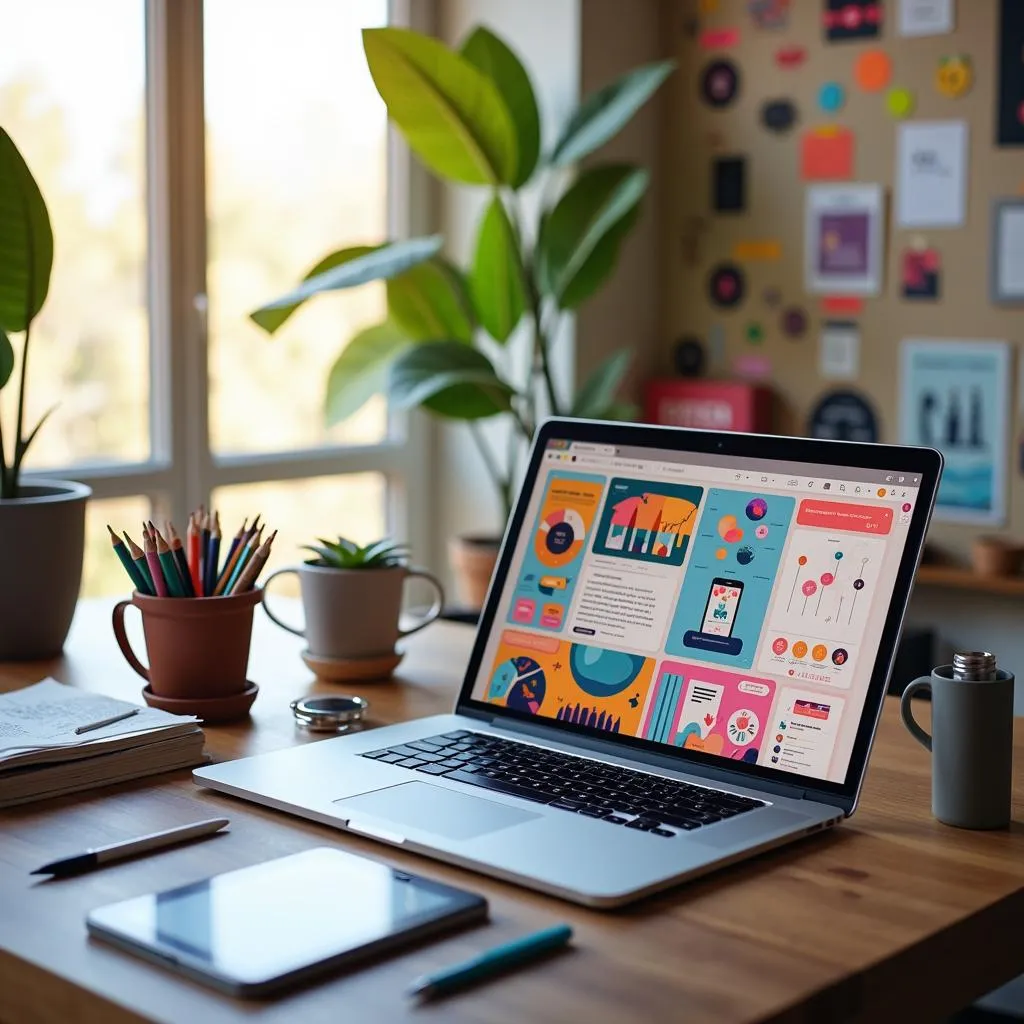
Imagine creating a stunning website without a single line of code or a frustrating back-and-forth with developers. That’s the magic of being a Webflow web designer. With its powerful visual design tools and integrated CMS, Webflow turns your creative vision into reality while keeping your workflow smooth and efficient. Dive in to discover how Webflow is transforming the future of web design, and see why you might want to make it your go-to tool for designing exceptional websites.
Table of Contents
- Quick Introduction to Webflow for Web Designers
- Understanding Webflow: A Web Designer’s Perspective
- Empowering Webflow Web Designers
- SEO Optimization with Webflow
- Comparison: Webflow vs. Traditional Web Design Tools
- Challenges and Considerations for Webflow Web Designers
- Future Trends in Webflow Web Design
- Conclusion
Quick Introduction to Webflow for Web Designers
Hey there, fellow web designers! If you’re on the lookout for a tool that can revolutionize the way you design websites, look no further than Webflow. This tool is a game-changer, combining design, content management, and hosting all in one tidy package. Imagine having the power to create stunning, responsive websites without needing to juggle multiple platforms. That’s Webflow for you. In this article, we’re diving into how Webflow empowers web designers like you by streamlining workflows, enhancing creativity, and making client collaboration a breeze. Let’s get started!
Understanding Webflow: A Web Designer’s Perspective
What is Webflow?
At its core, Webflow is a visual web design tool that integrates a Content Management System (CMS) and hosting capabilities. It’s like having a Swiss Army knife for web design. By offering an all-in-one platform, Webflow eliminates the need for multiple tools, saving you time and effort. You can design, launch, and manage your website all in one place, which is a huge win for efficiency.
Key Features of Webflow
Now, let’s break down some of the standout features that make Webflow a favorite among web designers:
-
Visual Design Interface: With Webflow’s drag-and-drop functionality, you can design and develop your website simultaneously. No need to toggle between different software.
-
Responsive Design: Webflow uses breakpoints and modern layout systems like Flexbox and Grid to ensure your site looks great on any device.
-
CMS and Content Management: Manage dynamic content with ease. The client-friendly editor mode lets your clients update content directly on the live site, reducing back-and-forth communication. Want to dive deeper into this feature? Check out why Webflow CMS is the Future of Web Design.
-
Hosting and Security: Enjoy fast hosting with a global Content Delivery Network (CDN) and free SSL certificates, ensuring your site is secure and loads quickly.
By understanding these aspects, you’ll see why Webflow is becoming an essential tool for modern web designers.
Understanding Webflow: A Web Designer’s Perspective
What is Webflow?
Webflow is a powerhouse tool for web designers, offering a visual web design interface that seamlessly integrates content management and hosting capabilities. Imagine having all the tools you need to design, build, and launch a website without switching platforms. This is the magic of Webflow, which is why it’s such a hit among webflow web designers. By combining the functionalities of a visual design tool, a Content Management System (CMS), and a hosting service, Webflow streamlines the entire web design process, making it an all-in-one solution. This integration saves you the hassle of managing multiple tools, allowing you to focus more on design and creativity.
Key Features of Webflow
Webflow is packed with features that cater specifically to the needs of web designers. Here are some of the key ones:
-
Visual Design Interface: The drag-and-drop functionality in Webflow is a game-changer. It allows you to design and develop simultaneously on a visual canvas, which is both intuitive and efficient. No need to write code to bring your design ideas to life. If you’re curious about elevating your design game, Mastering Webflow Design can really help you level up.
-
Responsive Design: With Webflow, your designs automatically adapt to different screen sizes. The platform uses breakpoints and modern layout systems like Flexbox and Grid to ensure your websites look fantastic on any device, from desktops to smartphones.
-
CMS and Content Management: Webflow’s CMS is robust, allowing for dynamic content management. You can easily manage blogs, portfolios, and other content types. Plus, the client-friendly editor mode lets clients make content updates directly on the live site, streamlining the workflow and improving client satisfaction. For those looking to enhance their Webflow store, Webflow Plus Solutions might offer some great insights.
-
Hosting and Security: Webflow offers fast and reliable hosting services with a global Content Delivery Network (CDN). It also includes free SSL certificates to ensure your site is secure, which is a big plus for both you and your clients. If you’re interested in optimizing your site’s performance, Webflow Performance Optimization is worth checking out.
These features make Webflow an excellent choice for webflow web designers who are looking to enhance their design capabilities while streamlining their workflow. By offering tools that cater to design, content management, and hosting, Webflow simplifies the web design process and empowers designers to create beautiful, functional websites efficiently.
Empowering Webflow Web Designers
So, let’s chat about how Webflow is giving web designers like you a serious boost in creativity, efficiency, and client collaboration. The platform is more than just a tool; it’s practically a superpower for modern web designers. Here’s how it works its magic:
Streamlined Workflow
Webflow is all about making your life easier by combining design and development into one seamless process. Here’s how:
- Simultaneous Design and Development: Forget switching between different tools for designing and developing. With Webflow, you can do both at the same time. It’s like having your cake and eating it too! If you’re curious about transforming your designs into Webflow, this ultimate guide offers a deep dive into the process.
- Real-Time Updates: As you tweak your design, see the changes instantly. This real-time feedback loop not only saves time but also enhances your design efficiency. You can test and iterate faster, which means getting to that perfect design quicker.
Enhanced Creativity and Design Flexibility
Webflow really shines when it comes to unleashing your creative potential. Here’s what it offers:
- No Code Limitations: Say goodbye to coding constraints. Webflow lets you focus on creativity without needing to write a single line of code. This freedom allows you to explore bolder ideas and more intricate designs. If you’re looking to elevate your design process, check out how mastering Webflow design can give your projects that extra pop.
- Custom Interactions: Want to add some spice to your user experience? With Webflow, you can create unique animations and interactions effortlessly. This feature allows you to craft engaging, memorable experiences that stand out. For more on transforming your creative process, Webflow UX Design is a great resource.
Client-Friendly Features
One of the coolest things about Webflow is how it makes life easier for your clients too. Check this out:
- Editor Access: Clients can update their content without diving into the design interface. Webflow’s client-friendly editor makes it a breeze to manage content updates, reducing back-and-forth emails and saving everyone time.
- Content Management: The platform’s content management system is intuitive and straightforward, allowing clients to handle updates and structure changes seamlessly. This not only empowers your clients but also keeps the design intact, ensuring a smooth experience for everyone involved.
In essence, Webflow isn’t just a tool—it’s an enabler for web designers, streamlining processes, enhancing creativity, and making client interactions as smooth as butter. Whether you’re a seasoned pro or a newcomer in the web design world, Webflow offers the tools you need to thrive. Ready to explore these features further? Dive into Webflow’s capabilities and see how it can transform your workflow.
SEO Optimization with Webflow
Let’s dive into how Webflow empowers web designers to enhance their SEO game effortlessly. Whether you’re a seasoned designer or just starting, Webflow’s SEO tools can significantly impact your online visibility.
Built-In SEO Tools
Webflow offers a suite of built-in SEO tools to help you optimize your site directly within the platform. Here’s a closer look at these features:
-
Meta Tags and Descriptions: Easily manage and edit meta tags right in Webflow. This feature allows you to include relevant keywords and descriptions that improve your search engine rankings.
-
Alt Text and Clean Code: Adding alt text to images is crucial for accessibility and SEO. Webflow makes this process straightforward, ensuring that all images contribute positively to your site’s SEO. Moreover, Webflow generates clean, semantic code, which search engines love because it enhances readability and indexing.
These tools make it easy for Webflow website builders to optimize a site for search engines without needing additional plugins or complex coding. The simplicity and effectiveness of these features are why many designers choose Webflow for their projects.
SEO-Friendly Design Elements
Webflow doesn’t stop at basic SEO tools; it also integrates design elements that bolster a site’s SEO performance:
-
Fast Loading Times: Thanks to Webflow performance optimization, your site will load quickly, which is a critical factor in SEO. Fast-loading pages not only improve user experience but also rank better on search engines.
-
Automatic Sitemap Generation: Webflow automatically generates a sitemap for your site, keeping it indexed and up-to-date. This ensures search engines can easily find and crawl your pages, enhancing your site’s visibility.
By leveraging these SEO-friendly design elements, Webflow web designers can ensure a site is not only visually appealing but also optimized for search engines. The built-in capabilities of Webflow allow designers to focus on creativity while the platform handles the technicalities of SEO optimization.
In conclusion, Webflow equips web designers with the tools needed to create SEO-optimized websites efficiently. From managing meta tags to ensuring fast-loading pages, Webflow simplifies the SEO process, allowing designers to focus on what they do best—creating stunning websites. This makes Webflow an invaluable asset for any web designer looking to enhance their site’s search engine performance.
Comparison: Webflow vs. Traditional Web Design Tools
When it comes to choosing between Webflow and traditional web design tools, webflow web designers often find themselves weighing the benefits of a modern, all-in-one solution against more conventional methods. Let’s dive into what sets Webflow apart and why it might be the right choice for you.
Key Differences
Webflow and traditional web design tools each have their strengths, but the differences in their approaches can significantly impact your workflow and capabilities as a designer.
-
Design Interface: Webflow offers a visual, drag-and-drop interface that allows for intuitive design and development. This is a stark contrast to traditional tools like WordPress, which often rely on a code-based interface or limited visual tools that may require additional plugins or custom coding to achieve the desired look. If you want to transform your creative ideas effortlessly, check out this guide to transforming your designs into Webflow.
-
Responsive Design: With Webflow, responsive design comes built-in. It provides the ability to create designs that adapt to different devices seamlessly, using features like breakpoints, Flexbox, and Grid. Traditional tools typically require extra plugins to achieve similar results, adding complexity to the design process. If you’re curious about how Webflow enhances your creative process, explore more on Webflow UX Design.
-
CMS and Hosting: Webflow integrates CMS and hosting into one platform, streamlining the process of launching and managing websites. Traditional tools often require separate solutions for CMS and hosting, which can complicate site management and increase costs.
-
Cost and Maintenance Efficiency: Webflow is generally more cost-effective in the long run. Its all-in-one pricing model covers design, CMS, and hosting, reducing the need for multiple subscriptions and additional plugins. Traditional tools may incur higher ongoing costs due to the need for third-party services and maintenance.
These key differences highlight why many webflow web designers prefer Webflow for its simplicity and efficiency. By integrating essential functions into one platform, Webflow allows designers to focus on creating exceptional user experiences without getting bogged down in technical details.
Comparison Table
To give you a clearer picture, here’s a side-by-side comparison of Webflow and traditional web design tools:
| Feature | Webflow | Traditional Tools (e.g., WordPress) |
|---|---|---|
| Design Interface | Visual, drag-and-drop | Code-based or limited visual tools |
| Responsive Design | Built-in, with breakpoints | Often requires additional plugins |
| CMS | Integrated, easy to use | Separate CMS needed |
| Hosting | Included with Webflow | Requires separate hosting service |
| SEO Tools | Built-in, easy to manage | Often requires plugins |
| Cost Efficiency | All-in-one pricing, no hidden fees | Additional costs for plugins and hosting |
With these points in mind, it’s clear that Webflow offers a compelling package for web designers looking to streamline their workflow and reduce costs. By focusing on ease of use and integration, Webflow empowers designers to bring their creative visions to life with less hassle and more efficiency.
In the world of web design, choosing the right tools can make all the difference, and for many, Webflow is the way to go. If you’re considering a switch or just starting, exploring Webflow’s capabilities could be your next best step.
Challenges and Considerations for Webflow Web Designers
Navigating the world of Webflow web design can be incredibly rewarding, but like any powerful tool, it comes with its own set of challenges. Whether you’re a seasoned pro or just starting your journey, understanding these challenges and knowing how to tackle them is key. Let’s dive into some potential hurdles you might face as a Webflow web designer and explore practical ways to overcome them.
Potential Challenges
Webflow is a fantastic platform, but it isn’t without its complexities. Here are a few challenges you might encounter:
-
Learning Curve: Webflow’s powerful features can be overwhelming at first, especially for beginners. The platform’s extensive capabilities mean that there’s a lot to learn, from mastering its visual interface to understanding its CMS and hosting services. It can take time to become proficient, so patience and practice are essential. For more insights on becoming proficient with Webflow, check out What Every Webflow Web Designer Needs To Know.
-
Pricing Structure: Compared to traditional solutions, Webflow’s pricing can be higher, which might deter some users. While it offers a comprehensive package, the upfront costs might seem steep, especially for those transitioning from less expensive platforms.
-
Backend Customization: While Webflow is excellent for front-end design, its backend customization options are limited compared to traditional CMS platforms. This can be a drawback for projects that require extensive backend development, as the platform is less flexible in this area.
Overcoming Challenges
The good news is that there are plenty of resources and strategies available to help you overcome these challenges and make the most of Webflow’s capabilities.
-
Resources: Webflow offers a wealth of educational resources to help you get up to speed. Webflow University is a fantastic place to start, providing tutorials and courses that cover everything from the basics to advanced techniques. Engaging with the Webflow community forums can also be incredibly helpful, as you can learn from other designers’ experiences and share tips and tricks. Additionally, exploring resources like Mastering Webflow Design: Elevate Your Online Presence can provide deeper insights into enhancing your design skills.
-
Client Education: Managing client expectations is crucial. Explaining the benefits and limitations of Webflow to your clients can help them understand the value it brings to their projects. Highlight how Webflow’s features can enhance their site’s design and functionality, and offer training sessions to help them make the most of the platform’s client-friendly editor.
By arming yourself with knowledge and leveraging the right resources, you can navigate the challenges of being a Webflow web designer with confidence. Remember, every challenge is an opportunity to learn and grow, making you a more skilled and versatile designer.
These considerations highlight the importance of being prepared and proactive in your approach to Webflow design. With the right mindset and tools, you can turn potential challenges into opportunities for creative growth and client satisfaction.
Future Trends in Webflow Web Design
As we look ahead, Webflow web designers are poised to ride a wave of exciting trends that promise to reshape the way websites are built and experienced. From no-code development to integrations with cutting-edge technologies, let’s explore what’s on the horizon for Webflow web design.
Emerging Trends
The realm of web design is continuously evolving, and Webflow is at the forefront of this evolution. Here are some trends that are making waves:
-
No-Code Development: One of the most significant shifts is the rise of no-code development. This trend is democratizing web design by making it accessible to non-developers. With Webflow, anyone can create complex websites without writing a single line of code. This is a game-changer for startups and small businesses looking to reduce development costs and accelerate time-to-market. If you’re curious about how this can transform your business, you might want to check out Why Are Webflow Designers Crucial For Your Business?.
-
Responsive Design Capabilities: Webflow’s robust responsive design tools are getting even more sophisticated. The ability to adapt to various devices, from smartphones to desktops, is becoming more intuitive. With custom breakpoints, designers can tailor experiences for specific devices, ensuring a seamless look and feel across all platforms. This flexibility empowers Webflow web designers to craft pixel-perfect designs efficiently.
Integration with Modern Technologies
Webflow is not just about building beautiful websites; it’s about integrating modern technologies to enhance functionality and user experience:
-
E-commerce and CMS: Future enhancements in Webflow’s e-commerce capabilities are expected to make online selling even more seamless. The platform’s CMS is also evolving, providing more dynamic content management options that allow for greater customization and user interaction. For those looking to stand out, consider exploring the potential of a Custom Webflow Store Design.
-
AI and AR: While speculative, the potential integration of Artificial Intelligence (AI) and Augmented Reality (AR) in Webflow could open up new frontiers in web design. AI could streamline design processes through automation, while AR could offer immersive experiences that captivate users.
Webflow’s commitment to innovation ensures that Webflow web designers will have the tools they need to stay ahead in this ever-changing field. Whether it’s leveraging no-code solutions or integrating the latest technologies, Webflow is setting the stage for the future of web design.
By keeping an eye on these trends, Webflow web designers can continue to push the boundaries of creativity and functionality, crafting websites that are not only visually stunning but also technologically advanced.
Conclusion
In wrapping up this exploration of Webflow web designers, it’s clear that Webflow is not just a tool but a transformative platform that redefines how web designers approach their craft. Its all-in-one nature offers a seamless integration of design, CMS, and hosting, which is a game-changer for enhancing creativity, efficiency, and client collaboration.
Transformative Impact of Webflow on Web Design
Webflow’s impact on the web design industry is profound. By providing a visual-first approach, it enables designers to create stunning, responsive websites without the need for extensive coding knowledge. This shift towards a more intuitive design process opens up possibilities for designers to focus on creativity and innovation. The platform’s integration of CMS and hosting further streamlines the workflow, allowing Webflow web designers to manage their projects more efficiently and effectively.
Key Benefits for Web Designers
Webflow offers several key benefits that make it an invaluable tool for web designers:
-
Enhanced Creativity: With no coding constraints, designers can explore creative ideas freely, designing custom interactions and animations that enhance the user experience. If you’re curious about how this impacts the design process, you might find the insights in Webflow UX Design: Transforming Your Creative Process quite enlightening.
-
Efficiency: The simultaneous design and development process, along with real-time updates, significantly boosts productivity, allowing designers to bring projects to life faster.
-
Client Collaboration: Webflow’s client-friendly features, such as the editor mode, empower clients to update content easily, fostering better collaboration and reducing the need for constant back-and-forth communication.
These benefits highlight why Webflow is favored by many Webflow designers looking to elevate their design capabilities and streamline their workflows.
Staying Ahead in the Evolving Digital Landscape
As the digital world continues to evolve, staying ahead requires embracing tools that offer both flexibility and power. Webflow provides the means to do just that, by continuously innovating and integrating modern technologies like AI and AR. These advancements promise to further enhance the capabilities of Webflow web designers, enabling them to create even more engaging and interactive web experiences.
In summary, exploring Webflow’s features and embracing its potential is vital for web designers who wish to remain competitive and innovative. By leveraging Webflow’s strengths, designers can push the boundaries of what’s possible in web design, crafting websites that are not only visually stunning but also highly functional and user-friendly. So, whether you’re an experienced designer or just starting, Mastering Webflow Design offers the tools you need to succeed in today’s fast-paced digital environment.
